


Facebook advertisement allows any person to place custom ads or content targeting a specific audience, people, companies, organisations and communities with costs increasing based on the reached and engagement the ad receives. Facebook ads can show in your target audience’s News Feed, timeline, pages and on other places or the right and left column of Facebook on desktop, as well as News Feed on mobile and top and bottom.

How to advertise on Facebook in simple steps
With these steps, you will be able to setup your objective, target an audience, set a budget, and place your ad on Facebook easily after reading them.
Step 1: Create a Facebook business page
Create a Facebook page first by following these steps
- Go to www.facebook.com/pages/create
- Then choose a page category
- Click Get Started and follow the on-screen instructions
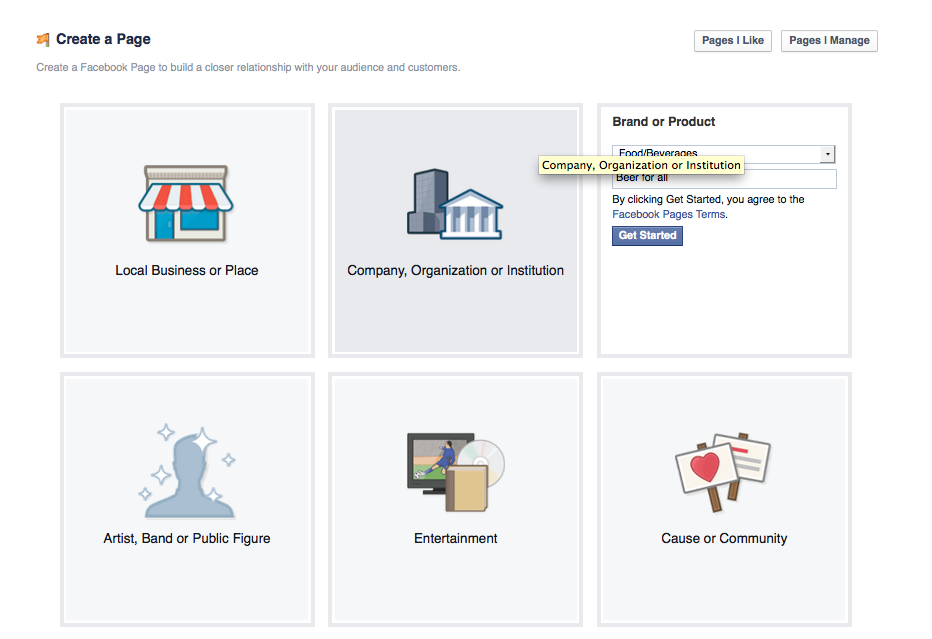
Keep these best practices in mind when creating a Facebook page
- Fill out your page info in full detail and don't leave anything blank
- Include a relevant Facebook profile photo as well as a creative Facebook cover photo
- Have a Facebook page strategy
- Use this Facebook Page Template
after creating the page you must get your Facebook page username. You can get the username here
If you show the error message like that You page is not illegible for username so pleas read this article to solve this error. Actually this error indicate that you must have minimum 25 fans to get username so after reading this article you will be able to get more than 100 fans for your Facebook page.
Step 2: Create goals for your Facebook ads
Create goal for your ads that why and for what purpose you are advertising? are you want to increase traffic on your site, increasing or want to boost your post, increasing Facebook page fans or write the purpose and set specific goal.
Step 3: Choose an objective for your campaign
Now that you have created your Facebook Page and have goals for your ads, in next step you can now go into the Facebook Ads manager and choose an objective for your ad.

If your goal is to acquire registrants and get fans for an upcoming event, the Facebook ad objective you have to choose is “Raise attendance at your event.” Or if you want to grab people to your website, then you have to choose “Send people to your website.”
Step 4: Choose your target audience and ad spend
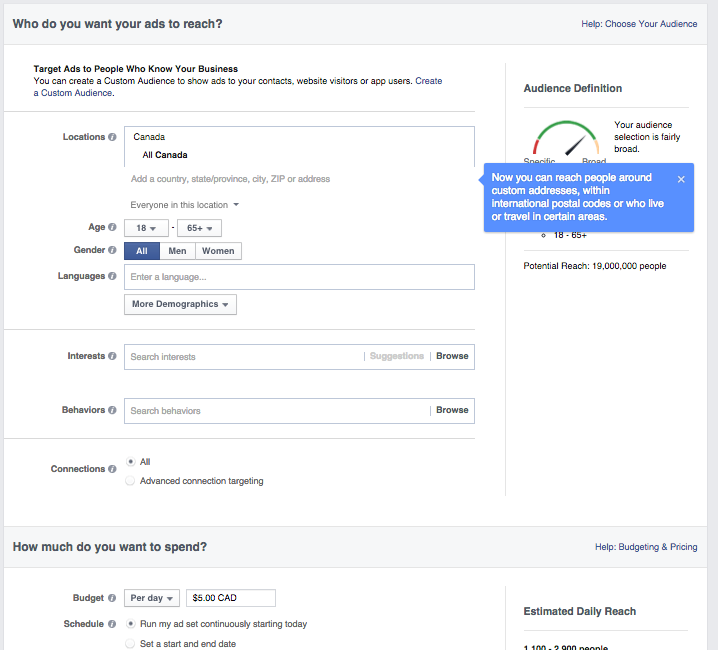
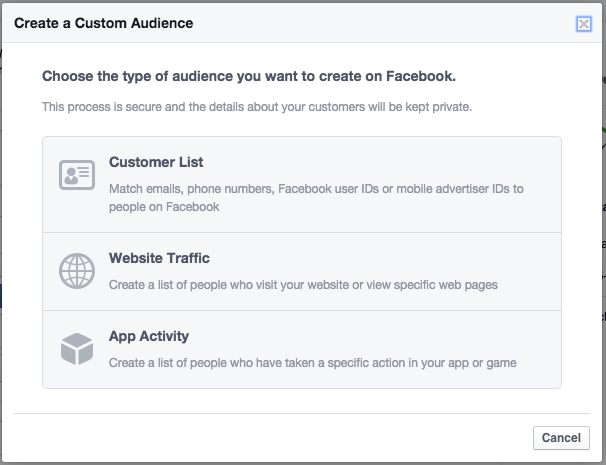
Step 5: Next see the picture to customise it further
Step 6: Choose your budget:
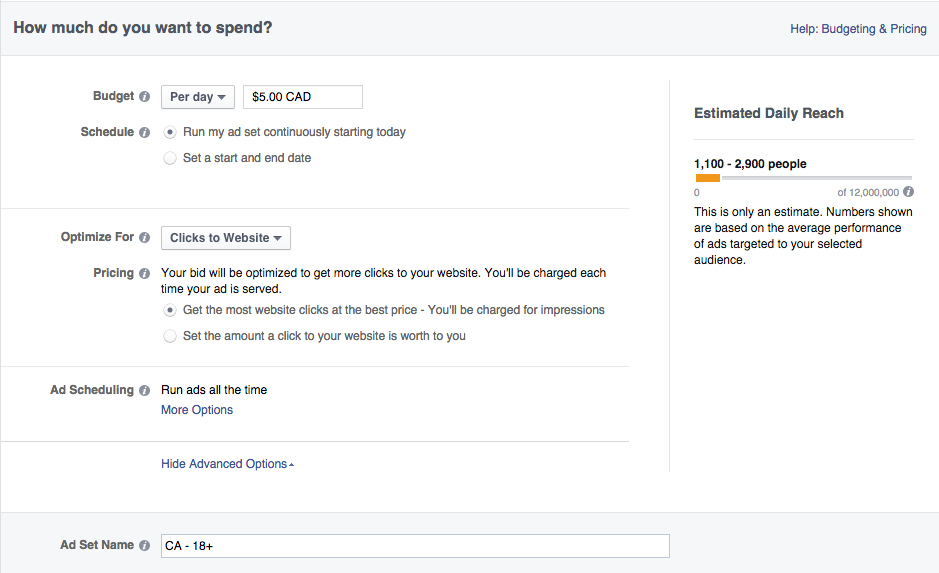
Step 7: Choose your objective:
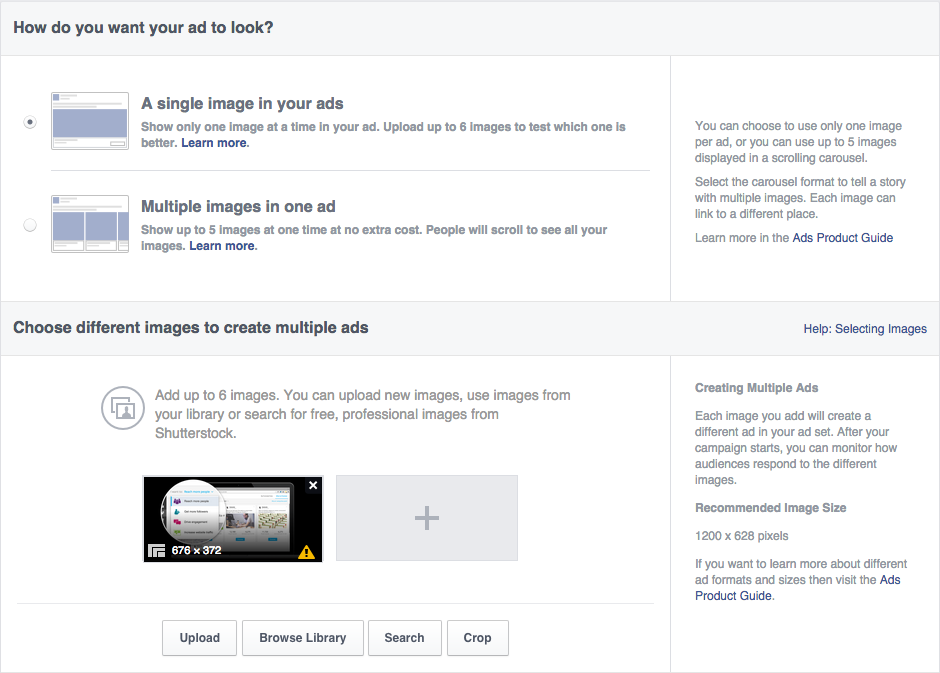
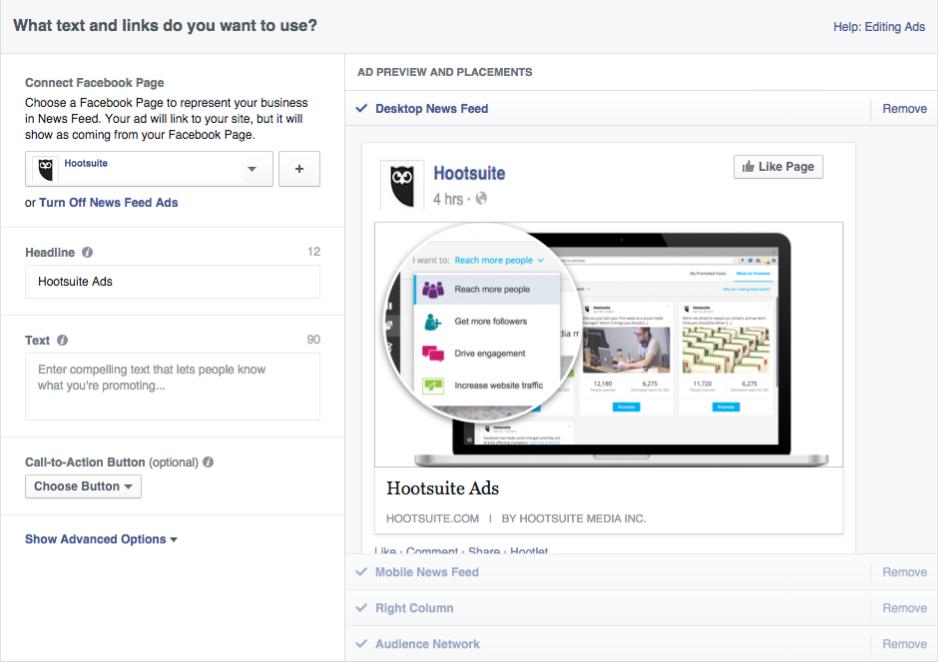
Step 5: Choose how you want your ad to look
The actual creation of the ad is the fun and entertainment part of advertising on Facebook. Choose your images, gifs, videos, headlines, body texts, as well as placement of the actual ad. You can have up to 25 characters headline texts and 5 images, and .
 .
.
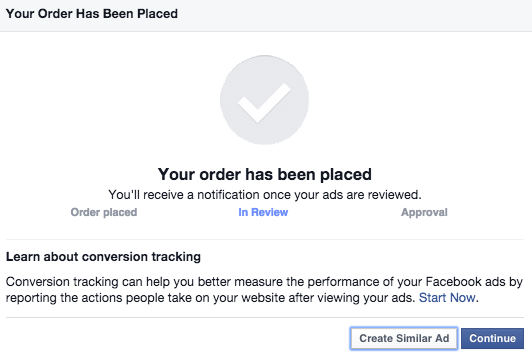
Step 6: Place your order
Once you’re ready for your ads to be reviewed and has finish all, click on the green button Place Order. You will receive an email from Facebook once your ad has been reviewed and approved. So that was all about! You'r done! Enjoy!
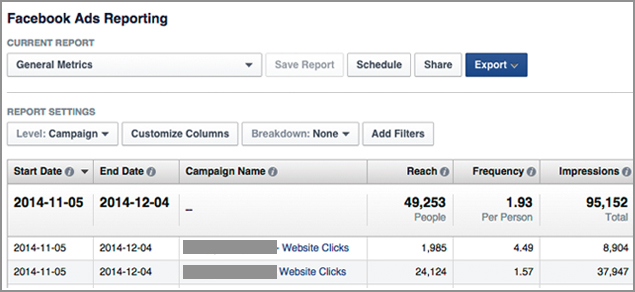
Step 7: Create a Facebook ads report
Create a report on your Facebook Ads by going to this getting started site.
Thanks for Reading this article. I hope this will help you more


